
The New Teams Calendar is Coming – Complete with a bug with Loop agendas
My best advice for recurring meetings is to skip creating an agenda in Loop. It simply doesn’t work unless you want a single agenda, and you never change it before the meeting.
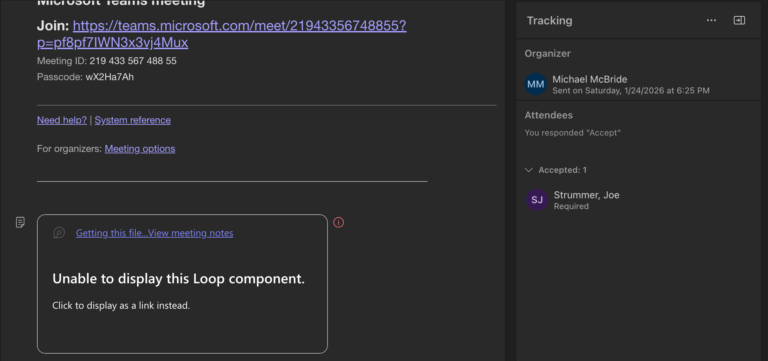
My best advice for recurring meetings is to skip creating an agenda in Loop. It simply doesn’t work unless you want a single agenda, and you never change it before the meeting.

That’s not an excuse for the way M365 works, or doesn’t work, on any given day. Rather, it’s an expectation that things will go sideways, and documentation won’t always be accurate, so it becomes incumbent on all of us to do what we can to stay informed and connected to experts. Microsoft is too big to offer simple support; every question or issue comes with ten or more implications across the platform. That will be a multiple-day question that someone has to research, even as we question why it takes so long to investigate their own product.
But the answer to that question is simple. It’s too large to be knowable.

There are some solid ideas in the article below, the first ones should be obvious: limit who can create Teams and have an approval process. Without that, you may as well start a pool to guess how many “test” Teams will be created in the first few months.

As someone responding to an eDiscovery request, the flip side of that statement is, of course, true. Kelly goes into some detail, but for my M365 folks: if you’re going to argue that the version of the document when shared is too difficult to collect, you will need to show your work. That will need to include a whole lot more than saying you don’t know how to do it, or that it’s difficult.

Would you be interested in getting together over a Teams channel to discuss M365, eDiscovery, and other related topics with other subscribers? Perhaps even schedule some chats on occasion? (Paid subscribers, I’ve got some ideas just for you as well.) If you are interested, sign up here. If there’s enough interest, we will definitely get this going in the next few weeks.)

The slop problem is the kind of PR problem that kills industries. It’s the Ford Pinto’s exploding gas tank, New Coke, and the iTunes U2 album fiasco all rolled into one. People see all the hype about AI, then experience entire websites and tens of thousands of social media accounts spewing content no one wants, generated by AI.
That’s a perception problem that won’t go away because you want customers to stop talking about it. You have to build a tool that doesn’t create this problem.
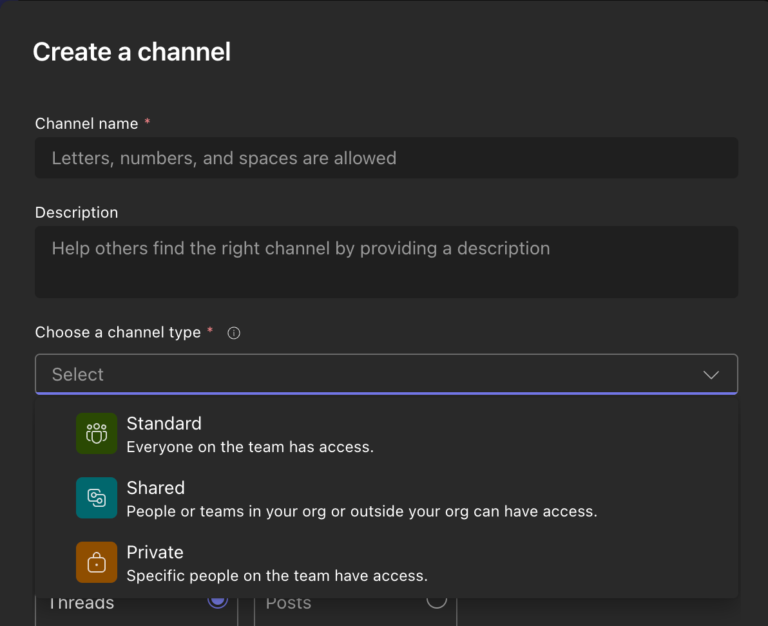
This might not seem like a big deal, but it is. I can’t tell you how many times I’ve had to create a separate Team for a small group because they want a Private Channel, but they also want to use Planner in it, or some other app that wasn’t supported in Private Channels.

One of the tools he mentions is the Audit log, and I agree. It can be difficult in SharePoint and OneDrive to determine who saw a document and who didn’t, because there are often so many changes being made at once. It’s easy to get lost in an avalanche of versions and permissions that leave doubt as to whether something was even shared with a user during the time in question.
That’s where the audit log comes in. However, just because events are logged doesn’t mean they will still be there months from now. If you’re in a highly litigious industry, the retention and preservation of audit log data might be something worth considering.

This is a pretty significant change for many of us who had been concerned about vetting data protection agreements with Anthropic before allowing user access to the Claude option in Coiplot Chat, and who’ve also watched new agents for Word, Excel, and PowerPoint rollout, but not to our tenants with Anthropic model access disabled.

This is also coming with a price increase effective in July 2026: