
Worth Reading – Microsoft Teams Audio‑Only Meeting Recording: How it Works and Why it Keeps Meetings Human
I’m glad we can now record only the audio. It makes it slightly less intrusive to record a meeting that others may need to listen to later.

I’m glad we can now record only the audio. It makes it slightly less intrusive to record a meeting that others may need to listen to later.

I think there are some opportunities in AI for completing tasks, but I also think there is a serious risk in taking action without proper oversight. I’ll be very interested in seeing how Microsoft gets this out to business customers.

Here’s why this is such a big problem. Microsoft recommends blocking Copilot from accessing sensitive information in emails, meetings, documents, and related content by assigning a label to those items and creating a DLP policy that defines the block. This bug renders the system unusable for the affected emails. You simply can’t provide a governance tool that doesn’t deliver the governance it claims to provide. It’s a bad look, Microsoft. It doesn’t help build customer trust.
No, Copilot did not make these emails public or access private information and make it non-private. It accessed information in response to your prompt that it should ignore. That creates a risk that many users might assume does not exist. That is a significant issue, but it’s not equivalent to a data breach. There is another check in place before data leaks out: the end user.

In the case of a departed user on OneDrive, there may be a cost associated with data from now-unlicensed accounts remaining in your tenant. Many people might not like hearing that, and it does seem a little petty of Microsoft to count it differently from the overall amount of storage you are allocated. On the other hand, for the Information Governance part of my day job, it’s not the worst thing to have a mechanism that forces you to consider why that data is being retained and what decisions were made about it.

One of the biggest irritations for M365 users is recurring meetings set to run for years, with the organizer having left the organization. How do you get them off people’s calendars, or have them managed by another user?

The first paragraph makes it obvious that you can’t be an unnamed guest in a Zoom meeting and invite your AI to take notes. That makes sense.
The second adds a requirement: you must also attend the meeting. No more sending your AI to take notes for you while you spend your time elsewhere.
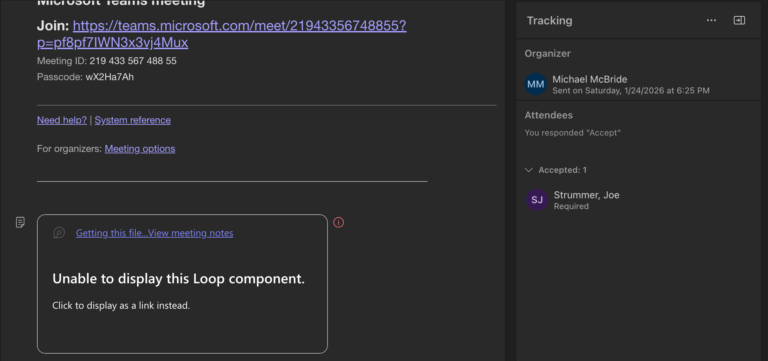
My best advice for recurring meetings is to skip creating an agenda in Loop. It simply doesn’t work unless you want a single agenda, and you never change it before the meeting.

That’s not an excuse for the way M365 works, or doesn’t work, on any given day. Rather, it’s an expectation that things will go sideways, and documentation won’t always be accurate, so it becomes incumbent on all of us to do what we can to stay informed and connected to experts. Microsoft is too big to offer simple support; every question or issue comes with ten or more implications across the platform. That will be a multiple-day question that someone has to research, even as we question why it takes so long to investigate their own product.
But the answer to that question is simple. It’s too large to be knowable.

There are some solid ideas in the article below, the first ones should be obvious: limit who can create Teams and have an approval process. Without that, you may as well start a pool to guess how many “test” Teams will be created in the first few months.

As someone responding to an eDiscovery request, the flip side of that statement is, of course, true. Kelly goes into some detail, but for my M365 folks: if you’re going to argue that the version of the document when shared is too difficult to collect, you will need to show your work. That will need to include a whole lot more than saying you don’t know how to do it, or that it’s difficult.