The New Teams Calendar is Coming – Complete with a bug with Loop agendas
I reported this bug when Microsoft first added the new calendar view as an option.
Now that the option to use the old one is going away, it’s also time to make sure people know about this bug before it bites them.
If you’ve ever created an agenda when setting up a new event from the Teams calendar, this can, and likely will, happen to you as well.
Here are the steps to replicate:
Create a new series – a recurring event.
Add an agenda at the bottom of the screen, which creates a Loop page for the meeting notes. Add the standard agenda.
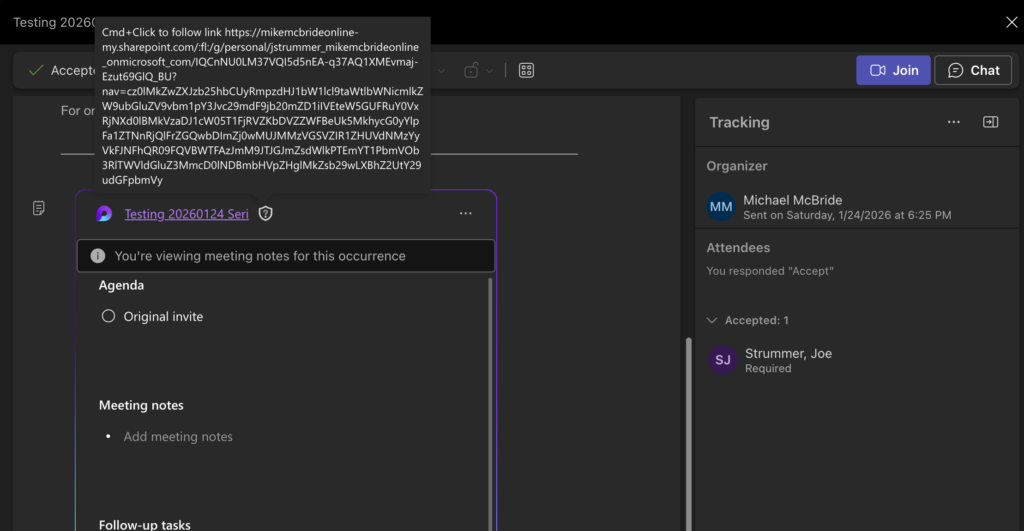
Send the invite. Accept and view as the other party – confirm the agenda is available in the Teams calendar.
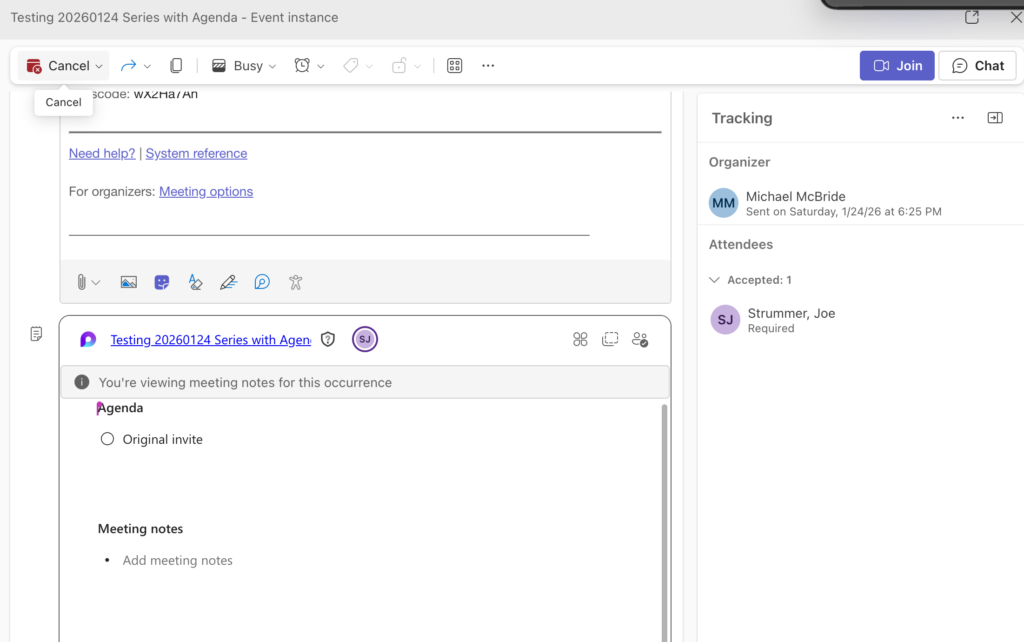
Go to a future event in the series and update the agenda for that single event.
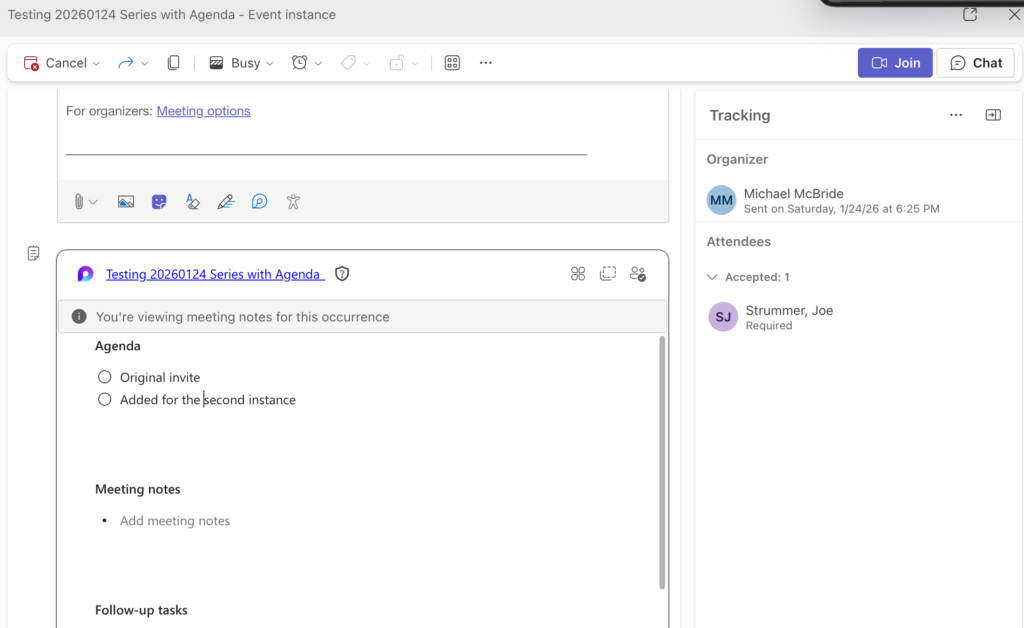
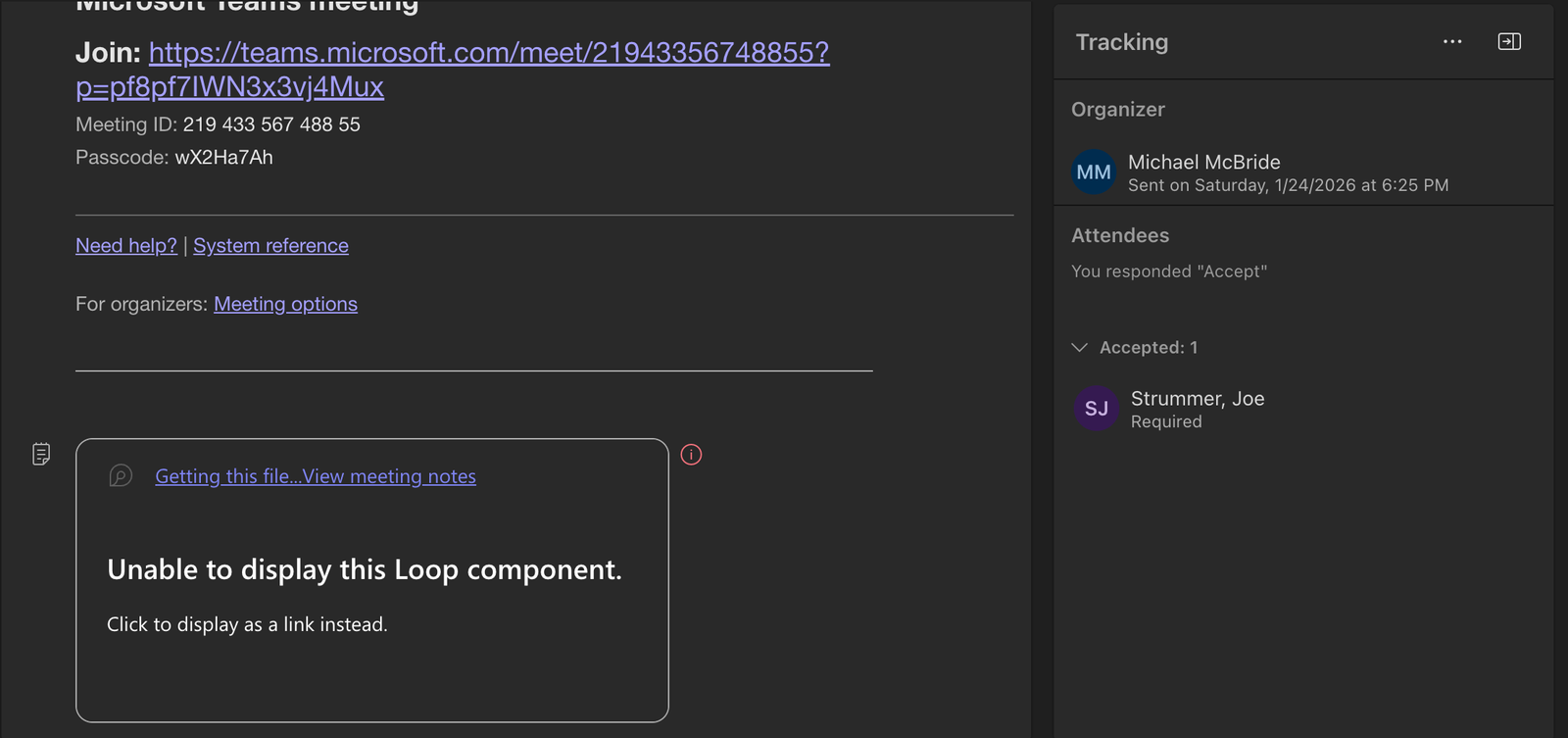
As the invitee, go to that future event, and you no longer have access to the agenda.
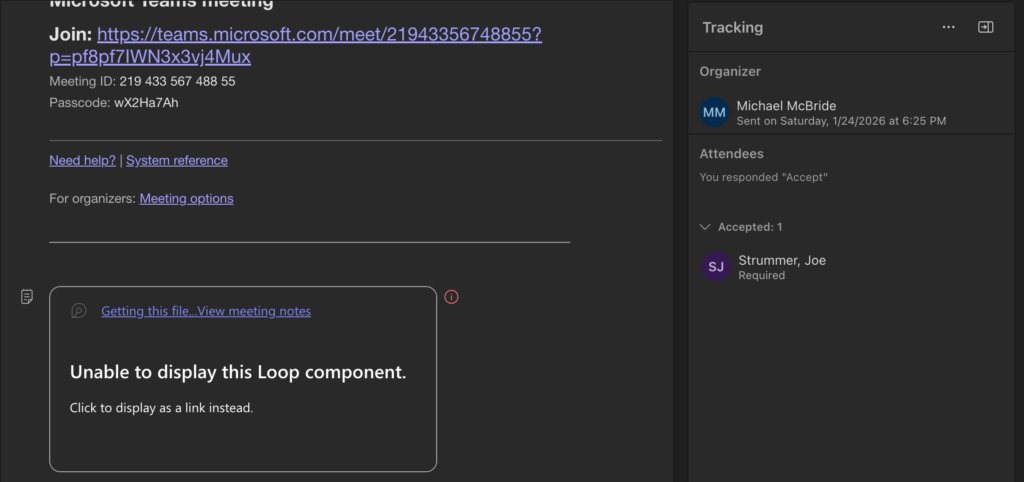
The new Loop page that is created when you update the agenda for later events is not shared properly; not all attendees have access to it.
Worse yet, in my testing. If I started that future meeting as any invitee, any updates made by the organizer are lost – the agenda is recreated using the template from the first event in the series. I assume that is because the person starting the meeting doesn’t have access to the Loop for the meeting, so it starts over as a new agenda, with the default items from the first event in the series.
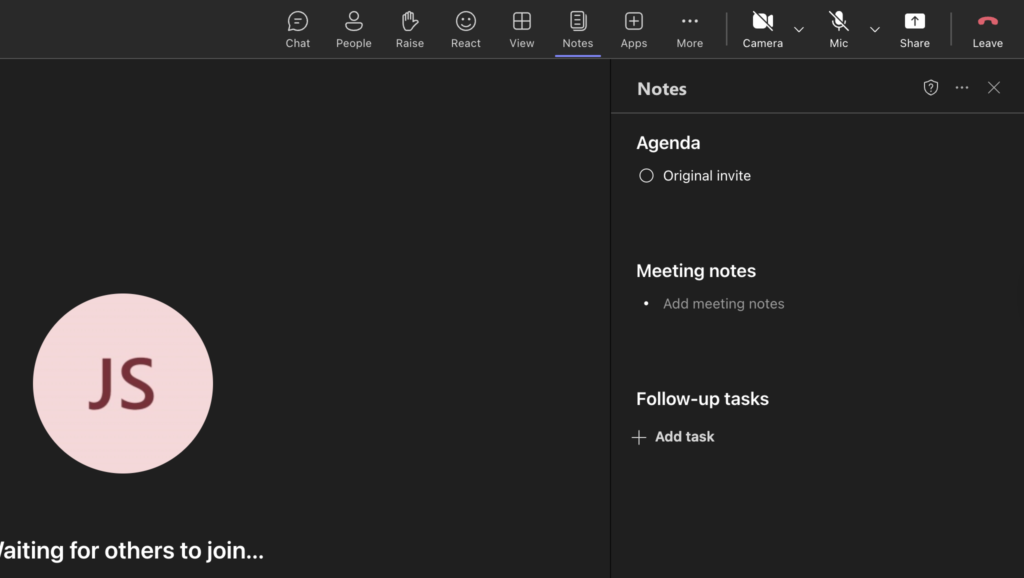
Honestly, this sucks. My best advice for recurring meetings is to skip creating an agenda in Loop. It simply doesn’t work unless you want a single agenda, and you never change it before the meeting. (Editing it during the meeting works as expected, which lends credence to the theory that it’s the broken sharing when the Loop item is created before the meeting that causes all of this.)
Frankly, being able to edit the agenda for upcoming meetings was nice while it lasted, but with the new Calendar interface, we may have to stop.
 Share this post on social media.